Why your PDF to Word conversion came out broken
Most converters hand you a picture of the page or a swarm of text boxes. Here is why that happens, what the same page looks like through four tools, and what the difference is worth in hours.
You had a PDF. You needed to change three words in it, or translate it, or hand it to someone who wanted to work on it in Word. What came back was either a picture of the page you cannot touch, or a document that looks right until you click into it and find every line sitting in its own floating box.
That is not bad luck and it is not a setting you missed. It is what most PDF to Word tools are built to produce.
Three different things get called a Word file
The word convert hides the fact that there are three quite different outputs a tool can hand you, and the file extension is the same on all of them.
- An image in a wrapper. A picture of each page pasted into a .docx. It opens, it prints, it looks exactly like the PDF. Nothing in it is text, so you cannot search it, select a sentence, or fix a typo.
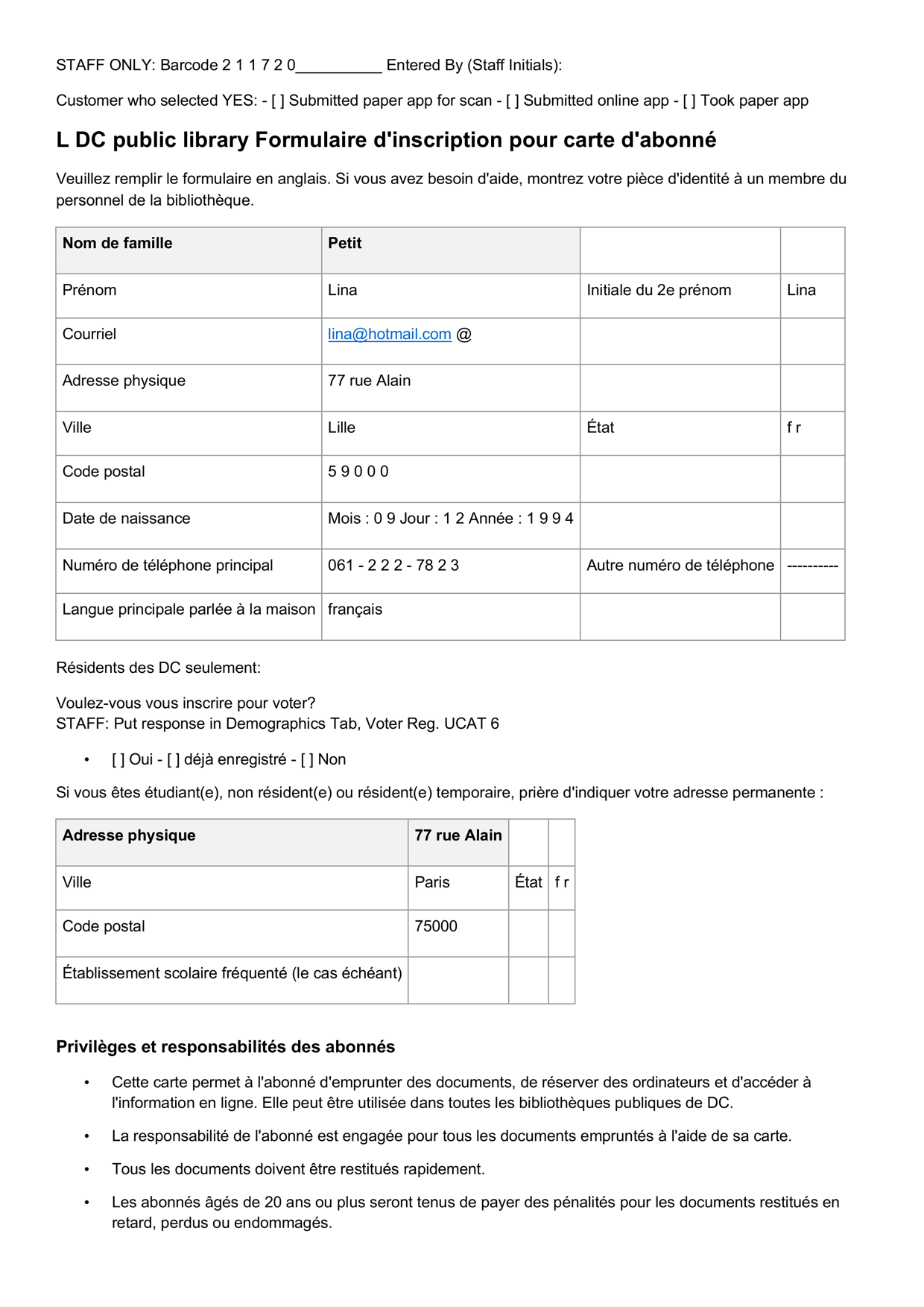
- Text boxes over a page. Every fragment placed in its own box where the ink used to be. It looks right, and you can change the letters inside a box. What you cannot do is anything needing the document to behave like one, because there are no paragraphs, no table and no flow.
- A document. Headings that are headings, paragraphs that reflow, tables with cells you can tab through. Change a word and the text moves to make room. The only one of the three that is useful for editing, and the hardest to make.
The test takes five seconds. Open the file, click into the middle of a paragraph and type a sentence. If the text after it moves down, you have a document. If it does not, you have a picture with an editing layer painted on top.
A converter's editable output opened in Word with the text-box frames visible, so the reader can see the swarm of boxes. Ideally the same French form used below.
Why it breaks
A page carries two kinds of information. The words, and everything the layout is doing: this run of text is a heading, these five figures belong to that row, this block is a footnote and not the next paragraph.
Older tools are very good at the first and have almost nothing to say about the second. They work out what the characters are and where they sat, then guess at the structure from how things line up. That guess is right most of the time, which is exactly what makes it dangerous. It fails on the things real documents are full of:
- Tables lose their columns, because a printed table has no cell boundaries in the file, only white space. One wrapped description and the rows merge.
- Reading order scrambles, so on a two-column page the left column's first line is followed by the right column's first line. Every word, in an order that means nothing.
- Anything a person did to the page is a different problem, not a harder one: handwriting, a correction, a stamp across the text, a signature over a line.
The same page through four tools
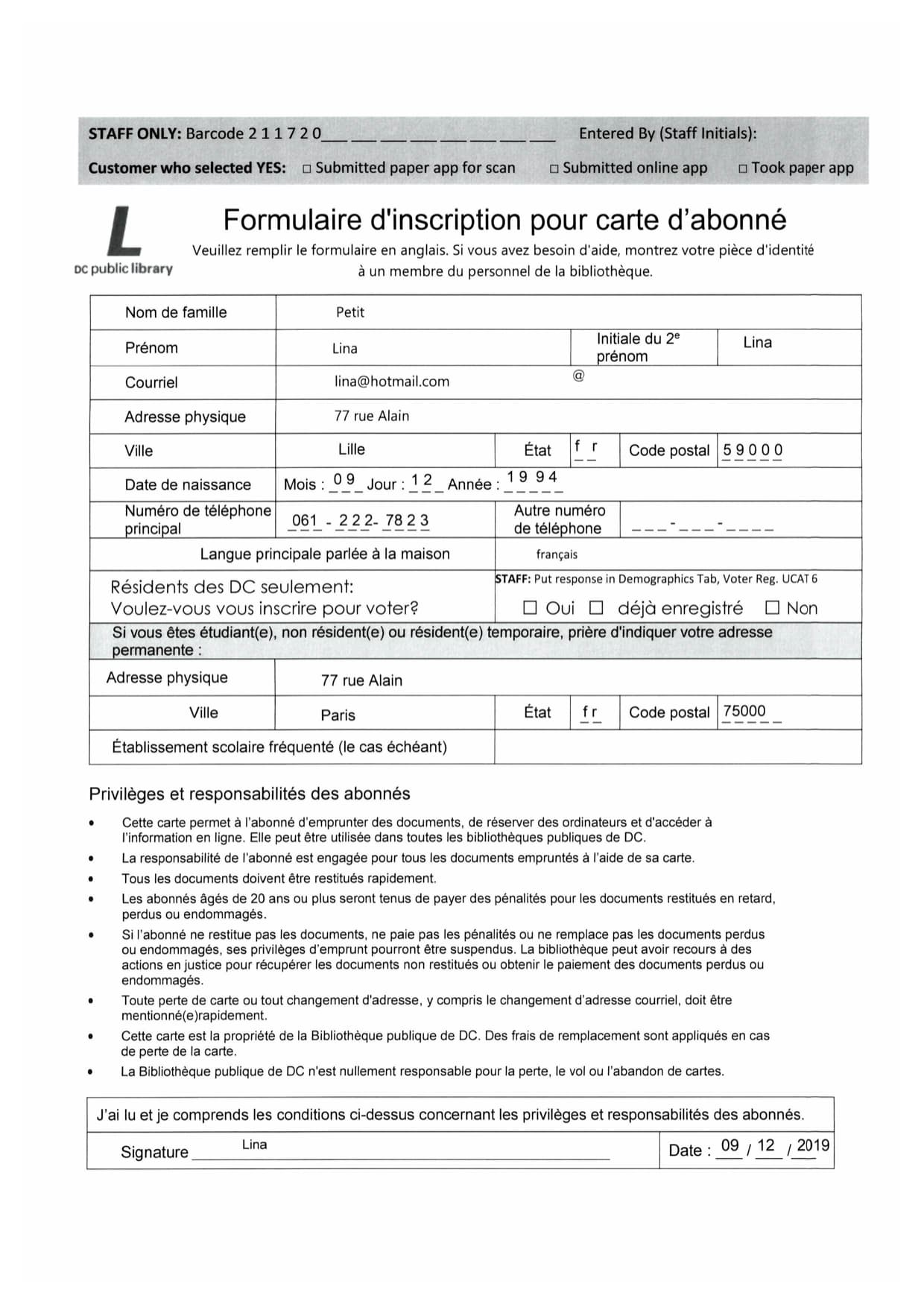
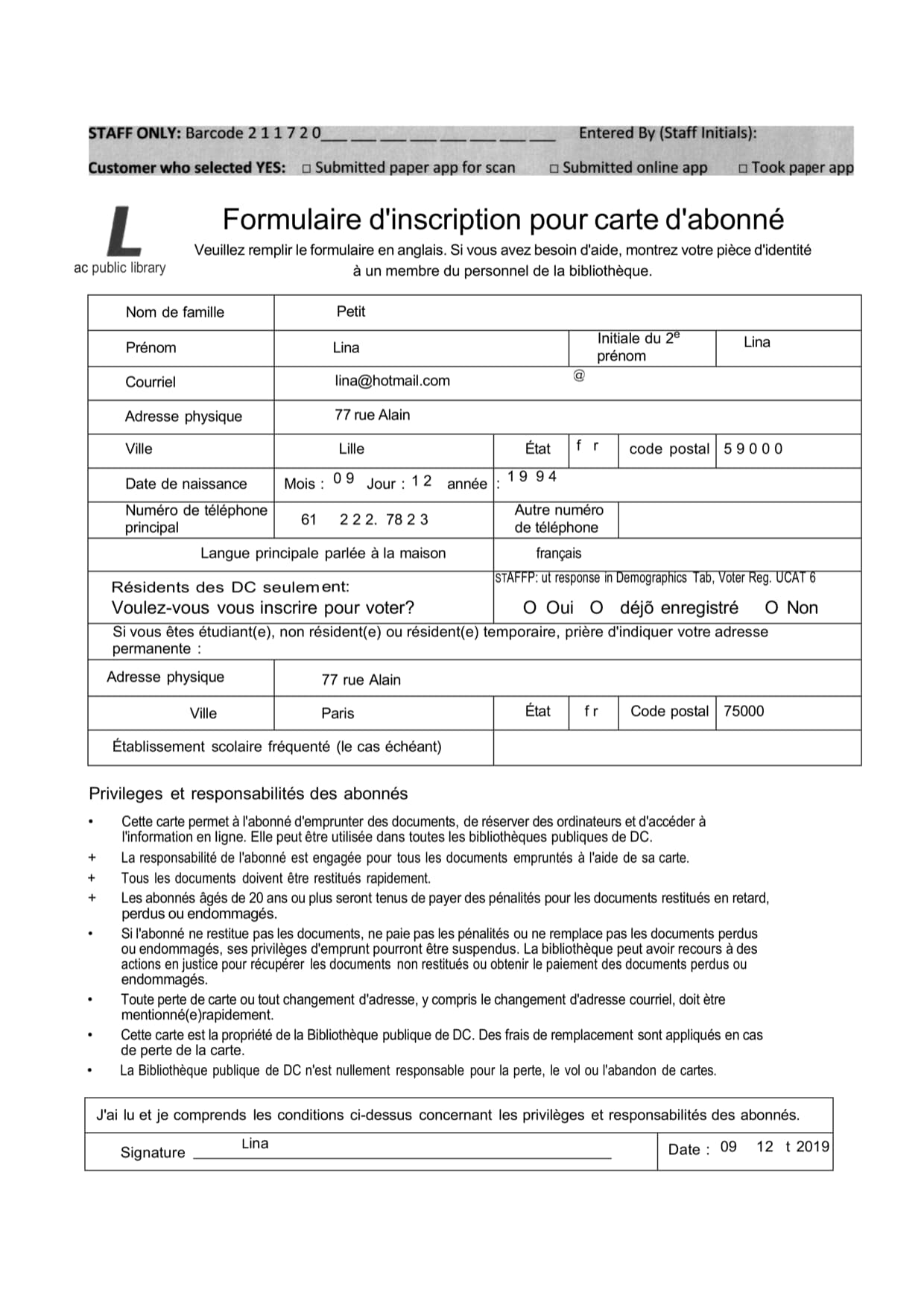
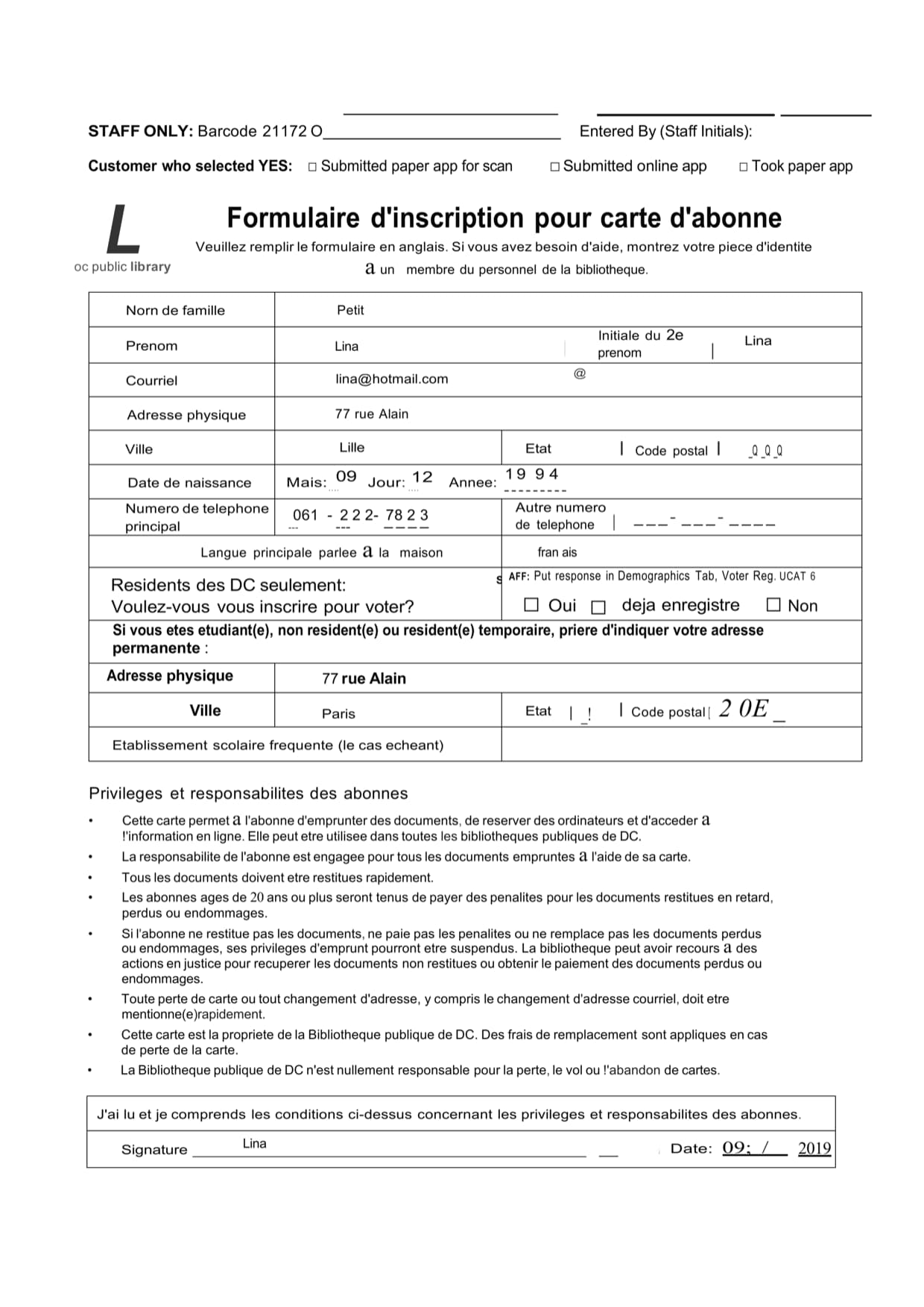
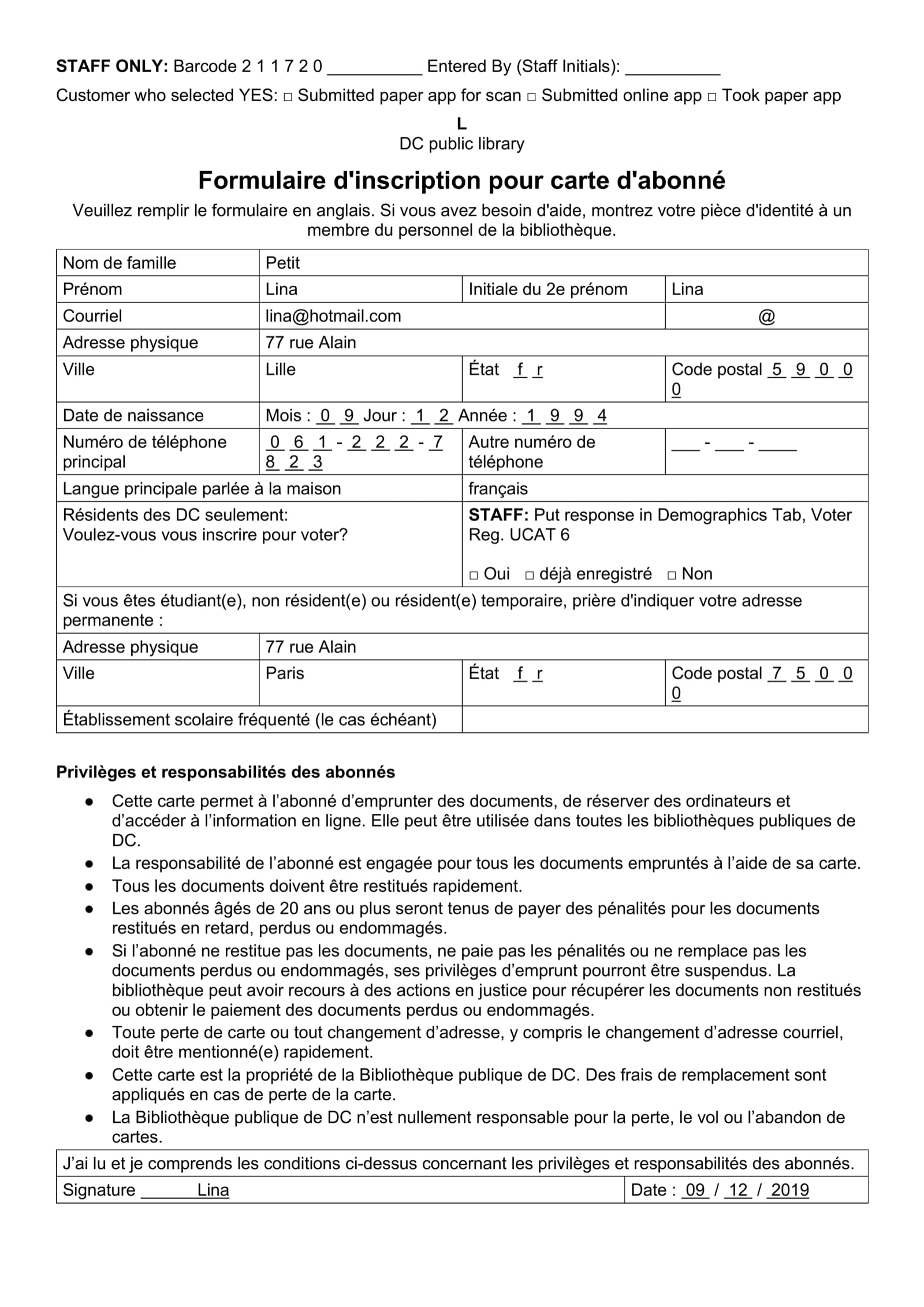
Descriptions are cheap, so here is one document: a library registration form in French, filled in by hand and scanned. A table with mixed-width cells, checkboxes, dotted fill-in lines, a bulleted list and a signature box. Nothing exotic.
These are the exact outputs each tool produced. Nothing edited, cleaned up or cherry-picked, and you can compare them at full size on the samples page.
When it is wrong, how will you know?
Look again at the two conventional outputs. Neither is obviously broken. That is the problem.
A garbled line announces itself. You see it, you fix it, you move on. The expensive failure is the one that produces a plausible page: a phone number missing a digit, a 1 read as a 7 in a money column, a row quietly dropped where a page broke. None of those look like errors. They look like data, and they are found three weeks later by someone who trusted the file.
The question worth asking of any converter is not how accurate it is. It is: when it is wrong, how will I know?
Part of the answer is structure. When a table comes back as a real table, a dropped row is visible as a table with one row fewer, and a value in the wrong column sits in the wrong column rather than floating near it. The rest is a habit worth keeping with any tool, including ours: open the last page first, check one full row of the widest table, and type a sentence into a paragraph to see whether anything moves.
Some documents can go further and check themselves, because they state arithmetic that has to hold. On a bank statement the opening balance, plus everything paid in, less everything paid out, has to reach the closing balance, so a dropped row breaks the sum. Where that is true we check it before you see the result. What that looks like on one document type is the subject of the bank statement guide.
What the difference is worth
Ask how long it takes to retype a page and you will hear somewhere between [[N]] and [[N]] minutes. That is the typing, and the typing is the cheap half. The expensive half is deciding what the ambiguous lines say, rebuilding the table one tab stop at a time, and reading the whole thing back, because nobody hands over a retyped document without checking it.
A text-box conversion does not remove that work, it moves it. You still rebuild the table, only now by dragging boxes, and you still read the page back because you know the tool guessed. People who have done both will tell you that fixing a bad conversion of a complex page takes longer than retyping it, and they are right, because retyping at least starts from a document that behaves.
Our pricing is per page and lives on the pricing page so it does not go stale here. Two things are worth knowing: signing up gives you 30 tokens, enough for a few real pages, and a batch costs the same as the same pages run one at a time, so there is no volume calculation to do.
When not to bother
Sometimes the right answer is no tool. If the PDF was born digital and you only need the text, Word's own File, Open will get you most of the way and is already on your machine. If you have three clean pages a month, anything will do. And if the document is a photograph of a crumpled receipt taken at an angle, the best converter in the world will preserve a crumpled receipt.
This pays when the pages are scans rather than digital files, when they have structure worth keeping, when someone is going to edit or translate the result rather than just read it, or when they arrive in bursts you cannot staff for. That last one is the case people underweight. The cost of a queue is not the hours, it is the days a client waits.
Try it on your worst document
If that describes your documents, the useful next step is not to read more. Take the worst page you have and see what comes back. The PDF to Word page opens on a hand-filled scanned form for exactly that reason.
Try it on your own document
30 free tokens when you sign up, no card needed.