How to get the data out of a bank statement PDF
Banks hand you a PDF and leave the rest to you. Here are the three things people usually want out of one, how to set each up, and the check that tells you nothing was missed.
A bank statement is a table that has been flattened into a picture of a page. The rows are still there to your eye, but nothing in the file marks where one transaction ends and the next begins, or which of the two figures on a line is the amount and which is the running balance.
So the work lands on a person: an hour of retyping, then the part nobody counts, which is reading it all back to check it. This is about not doing that.
Why the bank will not just give you a spreadsheet
Your bank has the data as data. It has never once printed a statement by hand. What it hands you is a PDF, because a PDF looks the same everywhere, and looking the same everywhere is the opposite of being usable by a spreadsheet.
Some banks do offer a CSV, and if yours does, use it. The trouble is the conditions. It typically goes back only a few months, it is often in the app and not the web portal, it frequently is not offered at all on business or savings accounts, and it stops existing the moment an account is closed.
Every one of those limits bites at exactly the moment you need the data: a mortgage application asking for a year, an accountant asking for a period that has scrolled off the end, a client sending a folder of scans because that is genuinely all they have.
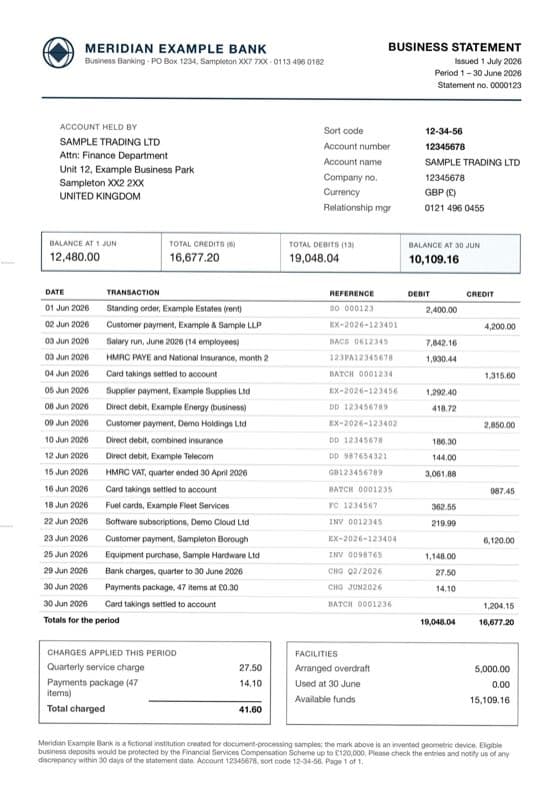
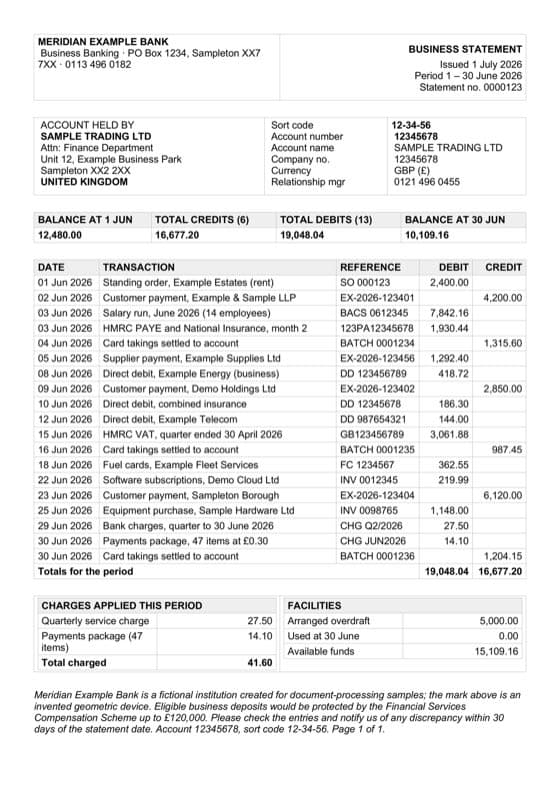
Three different things people mean
Deciding which one you want is the step people skip, and it is the one that decides whether the result is useful.
- The transactions, as a table. Every row of the transaction table in its own row, with the columns separated. This is what people mean nine times out of ten, and what you want for any kind of analysis.
- Only a few figures. You do not care about the transactions at all. You need the closing balance and the period off forty statements, so you want one row per document rather than one per transaction.
- The whole statement, rebuilt. You need the document itself, readable and editable, because a person is the next reader or it has to be translated. That is a Word file, not data.
They are not exclusive. A statement can go through twice: the spreadsheet for the analysis, the document for the file note.
A year at a time
A year of statements is twelve files, and running them one at a time would make this a worse version of the problem it solves. Add the whole folder and get one sheet back, with every row carrying the file it came from, so you can still tell March from April without opening anything.
The statements do not have to be from the same bank, in the same currency, or even the same language, because what you have described is what the document contains rather than where it sits on the page. A scan or a phone photo goes in the same batch as a digital PDF.
One tip if anyone is photographing rather than scanning: flat beats sharp. A slightly soft photo taken square-on reads better than a crisp one taken at an angle, because a skewed table makes the columns cross each other.
How you know nothing was missed
Here is the part that matters most and gets written about least. The failure that costs you is not the garbled line, because you can see a garbled line. It is the row quietly dropped where a page broke, or the amount that landed one column over.
Those produce a spreadsheet that looks perfectly fine and is wrong, and you find out three weeks later.
A statement, unusually among documents, contains enough arithmetic to catch that by itself. The opening balance, plus everything paid in, less everything paid out, has to reach the closing balance. If one transaction went missing, that sum stops working. So we check it before you see the result, along with the credits and debits against the totals the statement prints about itself, and tell you when something does not agree.
A dropped row on page twelve is invisible to careful reading and obvious to arithmetic.
That changes what checking means. Reading a retyped statement against its source is work proportional to its length. Checking one that has already tested itself is a much smaller job, because the completeness question has already been answered.
What it adds up to
Pricing is per page and lives on the pricing page so it does not go stale here. Two things are worth knowing before you do the sum: signing up gives you 30 tokens, which is a few real pages, and a batch costs the same as the same pages run one at a time, so there is no volume trick to work out.
Spend those free pages on your worst statement rather than your cleanest one. The clean ones work everywhere. The hard case is the one that decides whether this is worth your time.
If bank statements are a regular part of your week rather than a one-off, there is a page about exactly that on converting bank statements. If the pile is purchase invoices and receipts rather than statements, there is a piece on those, and a wider one on getting structured data out of PDFs generally. The samples page shows real documents and what came back from them.
Try it on your own document
30 free tokens when you sign up, no card needed.